smartlockmarket.com

How to Compare Hotel RFID Lock Quotes: A Line-by-Line Worksheet for Project Buyers
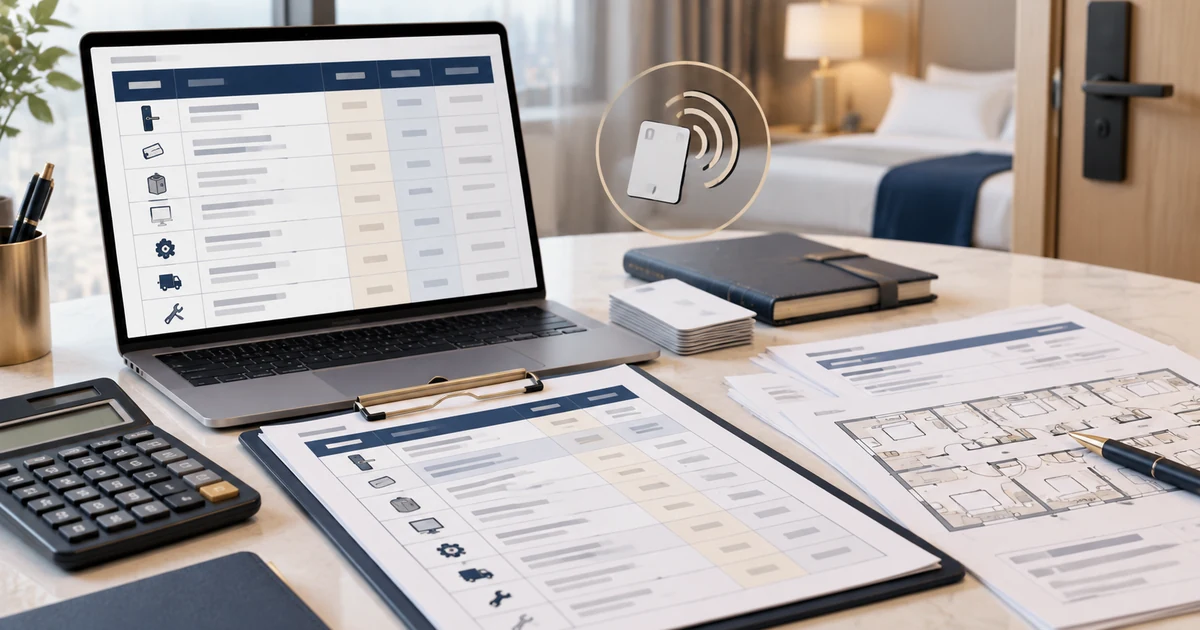
A hotel lock system quotation is only comparable with another quotation when both suppliers are pricing the same project scope. If you are researching a hotel door lock system price, first align the project scope rather than comparing lock unit prices alone. Before choosing the lowest offer, align the room and door quantities, lock configuration, cards, encoder, software, optional accessories, installation scope, shipping terms, taxes and after-sales conditions. Then compare the total project cost and the cost per equipped door.
This guide is for hotel procurement teams, importers, distributors and project contractors who already know they need a hotel card-lock system and now need to compare supplier offers. It is not a market-price list: actual prices depend on the model, configuration, quantity, destination, logistics and project requirements. Use the accompanying worksheet to put competing quotations on a consistent basis.
Quick rule: Do not compare a lock-only price with a complete-system price. First mark every required line item as quoted, included, excluded or not confirmed. Resolve missing items before deciding which offer is less expensive.

Table of Contents
1. Freeze the project scope before comparing prices
Create one project brief and send the same version to every supplier. If one supplier prices a basic offline RFID lock while another prices a different lock configuration with additional software or connectivity, the quotations are not yet comparable.
| Project input | What to specify | Why it matters |
|---|---|---|
| Project type | New hotel, extension, replacement or renovation | A retrofit may require extra compatibility checks or door work |
| Door/lock quantity | Guest-room doors and any separate staff or common-area doors | Room count is not always the same as the total number of locks |
| Lock configuration | Model, finish, lock body/mortise, opening direction and supported access method | Similar-looking locks may not share the same configuration |
| Credentials | Card type, required quantity, staff/master cards and replacement stock | Card quantities and technology can differ between offers |
| Shared equipment | Encoder, management software, gateway or other components required by the selected system | These may be included, optional or separately priced |
| Existing door/system | Door thickness, photos, mortise/cut-out details and existing card workflow, if replacing locks | Compatibility must be confirmed for the actual installation |
| Installation scope | Supply only, installation, commissioning, training or a combination | A hardware-only quotation cannot be compared directly with an installed-project offer |
| Destination and schedule | Delivery location, required delivery window and project milestones | Freight, import costs and lead-time commitments depend on the actual order |
For a new project, the door and lock requirements can often be planned together. For a retrofit, provide clear photos and measurements of the existing door, lock and mortise. SmartLockMarket's Hotel RFID Locks Buying Guide covers system selection; the Hotel Lock Retrofit Guide covers existing-door and system checks. Use those pages to define the scope before comparing the commercial offers.
2. Separate per-door items from shared system costs
A project quote usually contains two different cost types. Keep them separate so you can see whether the difference comes from the lock package, shared equipment or project services.
Per-door or quantity-based items
- Hotel RFID locks and the specified lock bodies
- Initial guest cards and staff/master cards
- Spare locks, cards, keys or other agreed replacement stock
- Energy-saving switches or other room-level accessories, if required
- Model-specific installation materials
Shared, one-time or project-level items
- Card encoder(s)
- Management software setup or licence fees
- Gateway(s) or other shared equipment, where supported and required
- Installation, commissioning and staff training
- Freight, cargo insurance, customs duties, taxes and clearance charges
- Payment or bank fees, if applicable
- Other project services or accessories explicitly requested
Recurring or post-delivery costs
Ask whether any software, cloud service, support, connectivity or maintenance fee recurs. Do not assume that a one-time software line means there are no later charges; ask the supplier to state the applicable term and renewal basis in writing.
The exact bill of materials varies by model and project. A gateway, PMS interface, online service or installation service should be included only when the selected configuration supports it and the project actually requires it. Do not add optional components automatically, but do not leave required components unpriced.
3. Use the same line items for every supplier
Copy the same table into each supplier's quotation review. For every row, record both the price and the scope status: Quoted (price and scope supplied), Included (covered by another line/package), Excluded (not included), or Not confirmed (insufficient information).
“Included” should not mean “assumed included.” If cards, encoders or software are bundled into a package, ask the supplier to confirm quantities, model/version and limitations. If a required item is excluded, either obtain a separate price or mark the quotation incomplete.
| Cost line | Scope to compare | Common gap to resolve |
|---|---|---|
| Lock hardware | Exact model, finish, lock body, access method and quantity | Unit price refers to a different configuration |
| Spare locks | Quantity and model/version | No agreed spare quantity or compatibility confirmation |
| Guest and staff cards | Card technology, type, quantity, encoding and design | “Cards included” without a count or card specification |
| Encoder | Quantity, connection, supported software and accessories | Encoder is optional or omitted |
| Software/setup | Product/version, licence term, setup scope and recurring charge | “Software included” with no licence or renewal details |
| Gateways/connectivity | Whether required, supported model and quantity | Optional hardware added without need—or omitted when required |
| Installation/commissioning | Locations, labour, testing, travel and exclusions | Supply-only offer compared with site-work offer |
| Freight/insurance | Delivery address, shipment method and agreed delivery term | Different delivery bases |
| Duties/taxes/clearance | Who estimates, pays and arranges each charge | Assumed included without confirmation |
| Warranty/after-sales | Duration, claim process and freight responsibility | Claim logistics not stated |
| Recurring fees | Amount, billing interval, term and renewal | Recurring charge omitted from comparison |
If suppliers use different currencies, convert all figures to one comparison currency using a documented exchange rate and date. Keep the original quote currency and conversion assumption in the worksheet. Do not compare a tax-inclusive total against a tax-exclusive total without flagging the difference.
4. Calculate total project cost and cost per door
Use the same calculation for every supplier.
Step 1 — Extend quantity-based lines: Line total = quantity × unit price. If a supplier gives a package price rather than a unit price, record the package quantity and scope. Do not divide a package total by the room count until you have confirmed what the package contains.
Step 2 — Add required one-time and project-level items: Project total = quantity-based items + shared equipment + setup/services + logistics + applicable duties/taxes + other confirmed charges. Include only costs that apply, but identify all required items that remain excluded or unpriced. A total should not be marked “complete” while a required cost is unknown.
Step 3 — Calculate the comparable per-door figure: Cost per equipped door = comparable project total ÷ number of equipped doors. Use the number of doors actually covered by the project scope, not automatically the number of hotel rooms. If separate staff or common-area locks are included, show them separately or define how they are counted.
Step 4 — Show recurring costs separately: First-year budget = one-time project total + recurring fees due in year one + other confirmed first-year operating costs. Do not silently add future-year costs to one supplier but omit them from another.
A simple comparison example without invented market prices
Suppose Supplier A quotes the locks but excludes the encoder, cards and freight. Supplier B quotes a package that includes a stated card quantity and encoder, but excludes installation and import charges. Supplier A's lock unit price may look lower, but neither offer can be ranked fairly until the missing required items are priced and both totals use the same delivery and installation basis.
The worksheet is designed to expose these differences. It deliberately contains no claimed “typical Philippine price” because this review did not verify a reliable market average for a defined lock configuration and project scope.
5. Read exclusions and commercial terms carefully
Delivery basis and timing
Record the agreed delivery term, destination, shipment method, whether freight and insurance are included, and which party handles export/import clearance and applicable charges. Ask for the expected production lead time and the event from which it is counted. Do not compare delivery promises that start from different milestones.
Sample and bulk configuration
For a new model or retrofit, confirm that the quoted bulk configuration matches the approved sample: model, finish, lock body, credential method, accessories, software requirements and packaging. A sample approval does not cover an unapproved substitution.
Warranty and after-sales freight
Compare the warranty period and claim process, including which party pays freight when goods need to be returned or sent for service. For SmartLockMarket orders, the stated warranty period is one year and after-sales shipping costs are borne by the customer. Put the applicable terms in the purchase documents rather than relying on a verbal assumption.
Payment and quote validity
Record deposit/balance terms, payment method, quotation validity date and any charges that affect the amount payable. If a quote expires before project approval, request a written update instead of assuming the old price remains valid.
Product and system claims
If a quotation states that a lock works with existing cards, a PMS, an encoder, a gateway or another access-control component, ask for confirmation against the exact model and system version. Do not treat “compatible” as a blanket promise across all configurations. Confirm the technical scope before the order is released.
6. A practical quote-review worksheet
Download the accompanying Hotel RFID Lock Quote Comparison Worksheet and use one row per cost line. It includes space for three suppliers, scope status, unit price, extended line total and notes.
- Project name and destination.
- Number of equipped doors and any separate non-room doors.
- Exact model/configuration and approved specification revision.
- Required quantity for every line item.
- Supplier status for each line: quoted, included, excluded or not confirmed.
- Price currency, quotation date and validity.
- Delivery, installation, tax and after-sales assumptions.
- Outstanding questions and the person responsible for closing each one.
A quotation with several “not confirmed” rows should be treated as incomplete—not automatically rejected, but not ready for a final price ranking. Ask the supplier to complete the missing information and issue a revised quotation with a clear version/date.
7. Questions to resolve before approving a supplier
- Are all suppliers quoting the same lock model, finish, lock body and access method?
- How many cards, keys, encoders and other accessories are included, and what are their exact specifications?
- Is the software a one-time purchase, a licence for a defined term, or a recurring service? Are any gateways or interfaces required?
- Does the quoted total include installation, commissioning, training, freight, insurance, import duties, taxes and clearance—or are these excluded?
- What delivery term and lead-time starting point apply?
- What warranty duration, claim process and after-sales freight responsibility apply?
- Are the sample and bulk-order configuration identical, and how will approved changes be documented?
- Which items remain unpriced, unconfirmed or dependent on a later technical review?
Record the supplier's answer against each question. If a supplier cannot confirm a technical or commercial point yet, mark it as open and keep it out of the “fully comparable” total until the scope is clear.
8. Request a project-specific quotation
To request a useful hotel RFID lock quotation, prepare the room/door quantity, project type, destination country, door thickness and photos, existing mortise details for replacement projects, preferred card/access workflow, and required software or encoder details. Include the target delivery window and any branding or packaging requirements.
SmartLockMarket's Hotel Lock Solutions page explains the information needed to scope a hotel project. You can also review the Hotel RFID Locks range after the project requirements are clear.
Send the same brief to each shortlisted supplier, compare the completed quotation worksheet, and resolve all required exclusions before placing the order. This produces a more useful decision than choosing from the lock unit price alone.