smartlockmarket.com

Smart Locks for Apartment Buildings: A B2B Selection Guide
Choosing smart locks for an apartment building is different from choosing a single lock for a home. In a multi-door project, the lock must fit the door structure, support the required access workflow, remain manageable when tenants change, and be practical to install and maintain across dozens or hundreds of doors.
This guide is written for property managers, apartment operators, developers, distributors, contractors and security integrators evaluating smart locks for apartment buildings. It focuses on project decisions that should be confirmed before bulk ordering rather than on consumer-style feature rankings.
Table of Contents
10
What Is an Apartment Smart Lock System?
An apartment smart lock system is more than a collection of electronic locks. In a project environment, the hardware and management workflow need to support multiple doors, multiple users and repeated changes in access rights.
A single residential lock may only need to serve one household. An apartment project may need to manage residents, property staff, cleaners, maintenance teams, contractors and temporary visitors. That changes the buying criteria.
Typical project requirements can include PIN, fingerprint, RFID, app access, mechanical override, access records, temporary credentials, gateways for remote functions and standardized spare parts. The exact combination should be selected according to the building's operation model and the lock model's supported functions.
What Apartment Projects Need From a Smart Lock
Before comparing models, define how the building will actually use the locks.
Resident access
Residents may use fingerprint, PIN, RFID or app credentials depending on the selected lock. For long-term residents, fast daily access and easy credential management are usually more important than having the maximum number of functions.
Property staff and contractors
Property teams often need a different access workflow from residents. Staff access may need to be issued, changed or revoked without replacing physical keys. Contractors may require temporary credentials rather than permanent access.
Tenant turnover
Rental apartments can have frequent resident changes. A suitable system should make it practical to remove old credentials and issue new ones without replacing the lock hardware.
Maintenance and emergency access
Battery replacement, mechanical-key backup, spare lock bodies and replacement parts should be planned before the project is installed. For larger properties, using too many unrelated lock models can increase maintenance complexity.
Choose the Door Before Choosing the Features
One of the most common project mistakes is choosing a smart lock because of its app, fingerprint reader or appearance before confirming whether it fits the actual door.
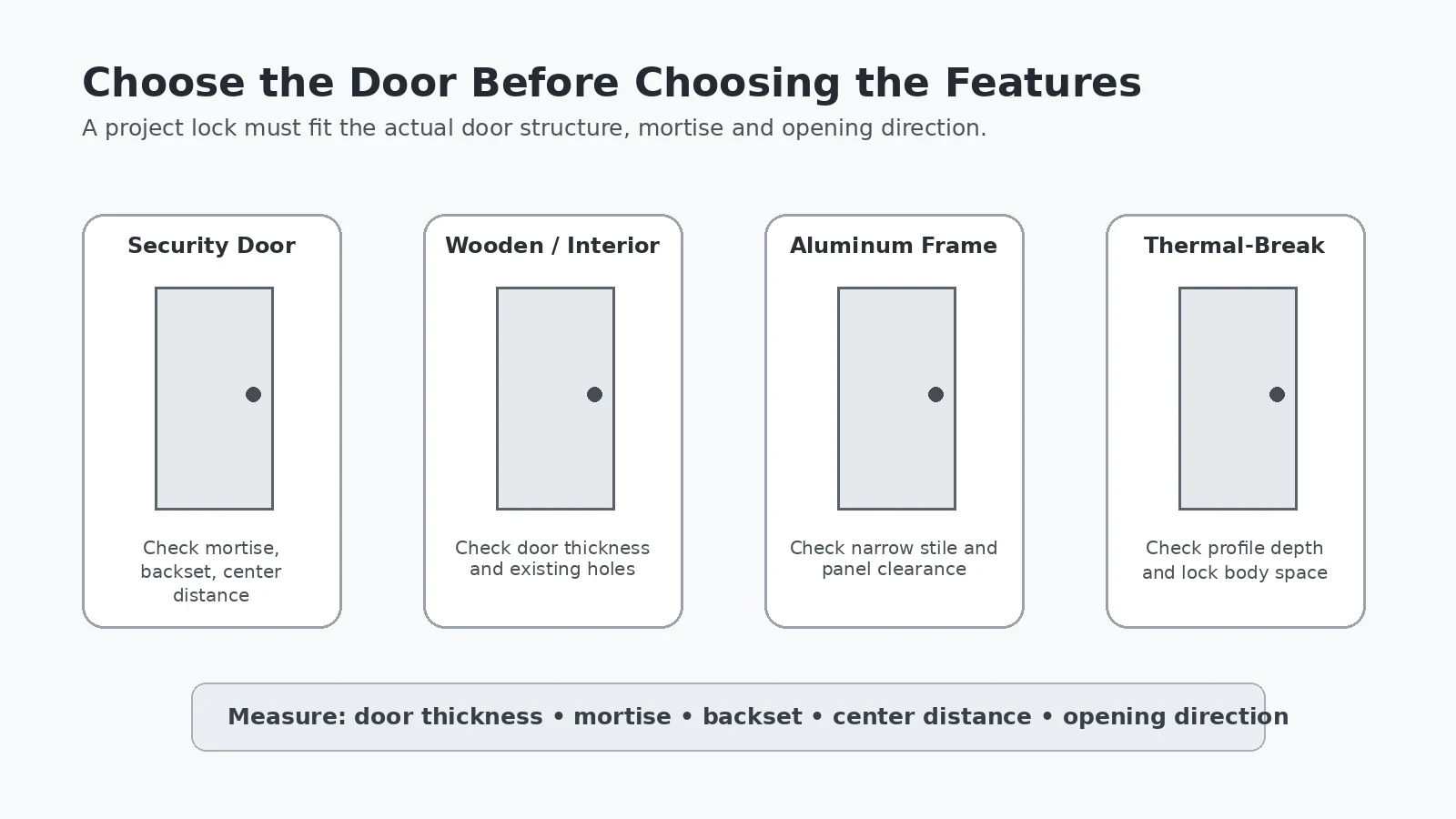
For project matching, the starting point should be the door. Important information includes door material, door thickness, mortise type, backset, center distance, existing holes and opening direction.
Security doors
Security doors can use larger lock bodies and different center distances from standard wooden doors. The existing mortise and handle position should be checked carefully before replacement.
Wooden and interior doors
For wooden or interior doors, door thickness, latch or mortise type and existing hole positions are key. A compact interior lock may be more suitable than a large security-door model.
Aluminum and thermal-break doors
Narrow aluminum profiles can limit the available space for the front panel and lock body. Thermal-break profiles also require careful checking of the internal structure before drilling or mortising.
For a broader project overview, see our residential smart lock solutions.
Apartment Smart Lock Access Methods
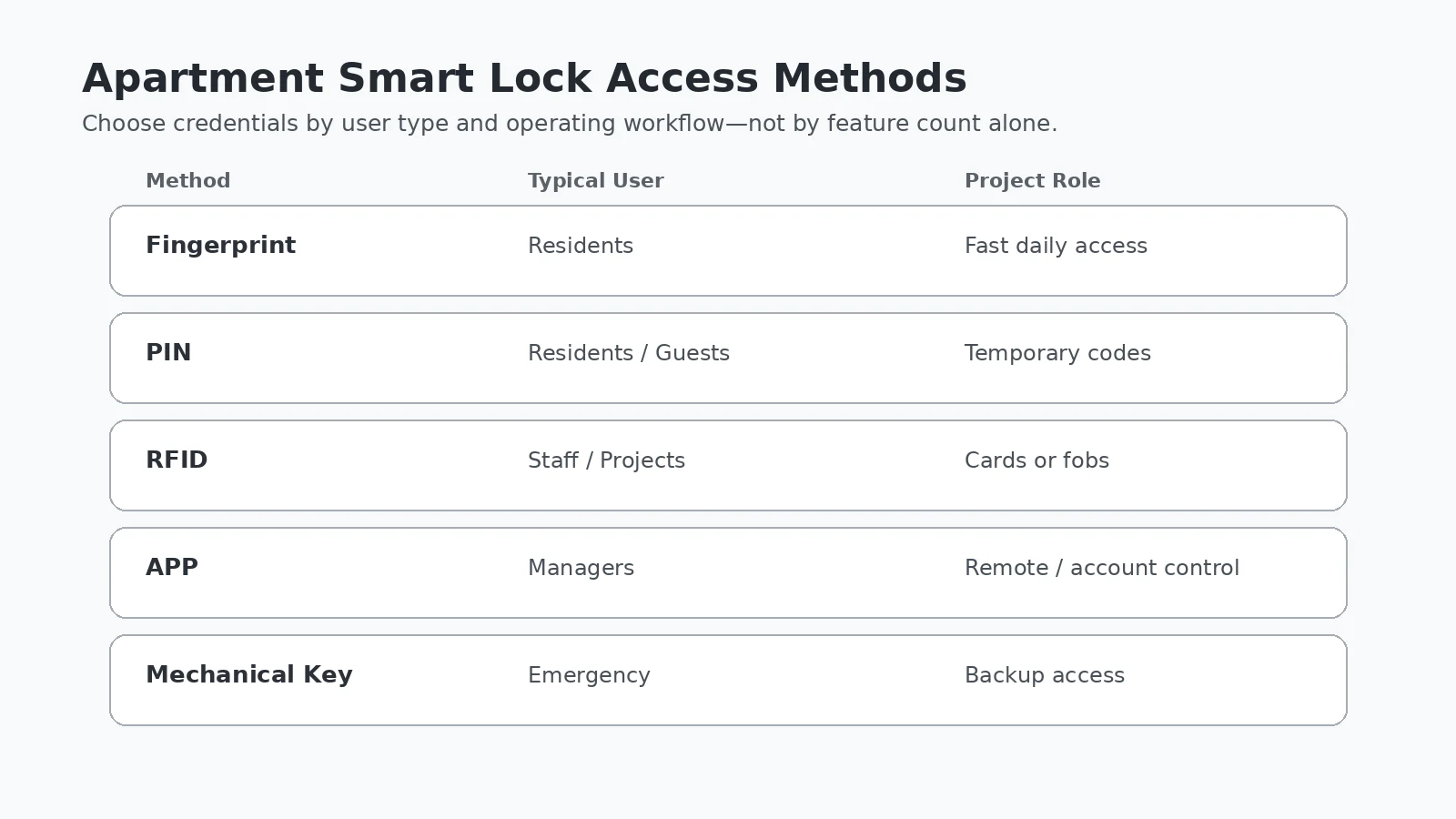
There is no single access method that is correct for every apartment project. The better approach is to match credentials to user roles and operating workflows.
| Access Method | Typical Use | Project Consideration |
|---|---|---|
| Fingerprint | Daily resident access | Convenient for regular users; enrollment and user management depend on the model. |
| PIN | Residents, guests and temporary access | Useful when codes can be changed without issuing a physical credential. |
| RFID | Staff, residents or managed projects | Cards or fobs are easy to issue, but credential compatibility should be confirmed. |
| App | Management and connected access | Bluetooth, Wi-Fi and gateway functions vary by platform and model. |
| Mechanical key | Emergency backup | Should be included in the project's emergency-access procedure. |
TTLock for Apartment Projects
TTLock-compatible smart locks are commonly used in access-management projects because many models support app-based lock administration, PIN management, access records and gateway-based remote functions. However, the exact feature set depends on the specific lock, gateway and system configuration.
For apartment projects, buyers should confirm whether they need Bluetooth-only management or remote management through a gateway, how many administrators will use the system, and whether API integration is required.
Do not assume that an app-enabled lock automatically provides remote control from anywhere. The communication method and gateway requirements must be checked for the selected model.
Smart Locks for Rental Apartments
Rental apartments create a different management problem from owner-occupied homes: residents change. Smart locks can reduce dependence on physical key replacement when the system allows old credentials to be removed and new credentials to be issued efficiently.
For rental properties, useful questions include:
- Can the previous tenant's credentials be deleted quickly?
- Can temporary access be created for cleaners or maintenance teams?
- Does the building need remote administration?
- Will property staff manage one lock, one building or many properties?
- How will emergency access be handled if batteries are depleted?
The answers determine whether a basic keypad lock is sufficient or whether a connected management platform is justified.
How to Select Locks for 50, 100 or 500+ Apartments
Around 50 doors
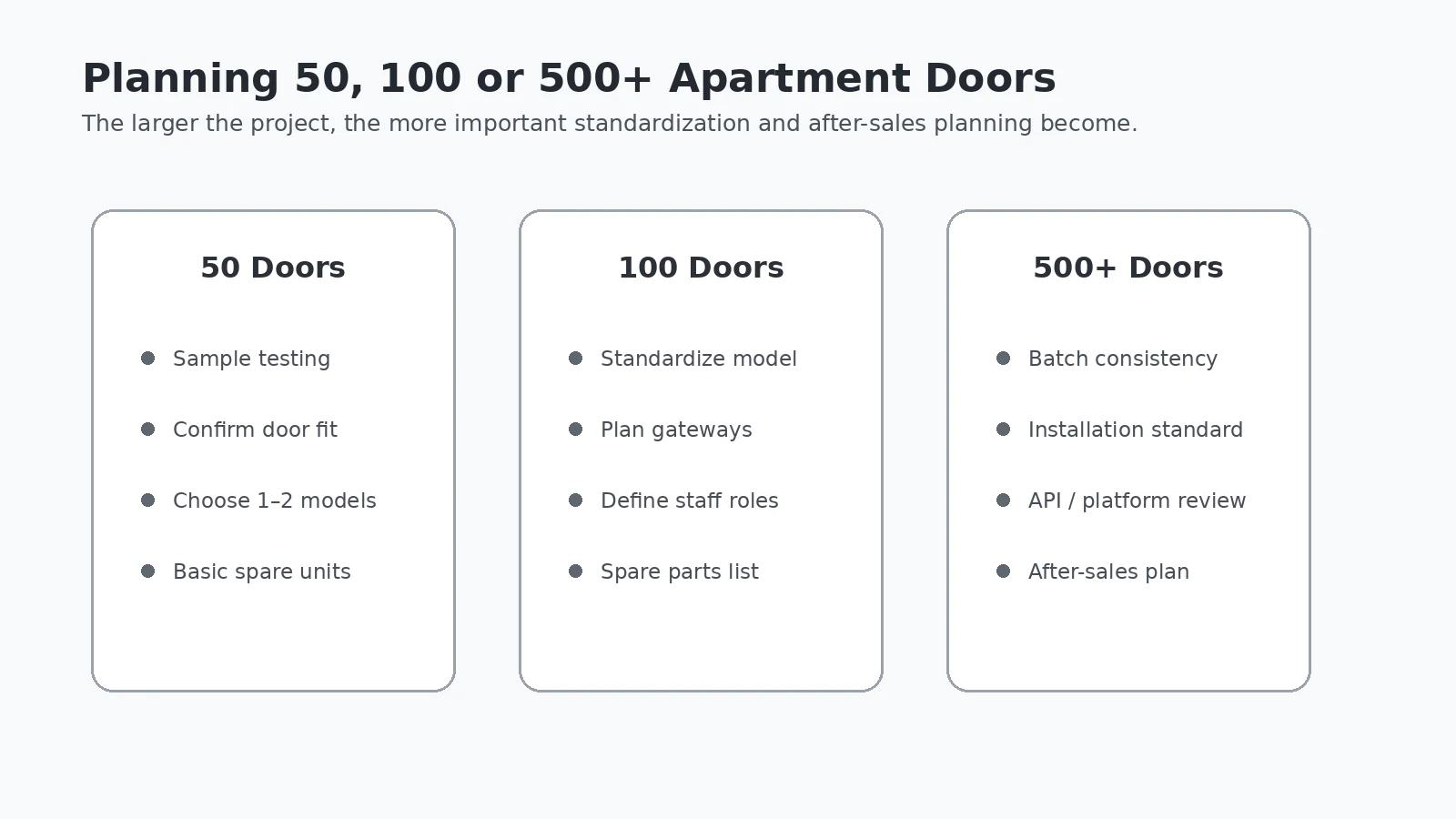
For a smaller project, begin with sample testing on the actual door. Confirm lock-body fit, access methods and basic user management before ordering the full quantity. Keeping the project to one or two compatible models can simplify installation and spare inventory.
Around 100 doors
At this scale, model standardization becomes more important. Confirm how gateways will be deployed if remote functions are required, define administrator roles and prepare a spare-parts list before installation begins.
500+ doors
Large projects should pay particular attention to batch consistency, installation standards, management-platform requirements, API needs, spare units and after-sales procedures. A model that works well on one sample door still needs a repeatable installation method for hundreds of doors.
Apartment Smart Lock Procurement Checklist
Before asking a supplier to recommend a model, prepare the following information.
Door information
- Door material
- Door thickness
- Mortise or existing lock-body dimensions
- Backset
- Center distance
- Opening direction
- Front, back and door-edge photos
Required functions
- Fingerprint
- PIN
- RFID
- App access
- Mechanical key
- Remote management or gateway
- API requirements, if any
Commercial information
- Project quantity
- Sample quantity
- OEM logo or packaging requirements
- Target installation date
- Spare units and spare parts
- Destination country
Recommended Smart Lock Types for Apartment Projects
The right category depends mainly on the door and the project's operating model. SmartLockMarket currently provides several residential-oriented product groups:
- Fingerprint Door Locks — suitable when biometric access is part of the resident experience.
- Security Door Smart Locks — for compatible security-door structures and lock bodies.
- Security Door Keypad Locks — useful for projects that prioritize PIN-based access.
- Interior Door Smart Locks — for compatible interior and lighter residential doors.
- Thermal-Break Aluminum Door Smart Locks — designed for compatible narrow-profile and aluminum-door applications.
Before bulk ordering, use real door measurements and sample testing to confirm fit rather than selecting only by product appearance.
FAQ
What type of smart lock is suitable for apartment buildings?
The suitable type depends on the door structure, required access methods, management workflow and project size. Door compatibility should be confirmed before comparing fingerprint, PIN, RFID or app functions.
Can apartment smart locks be managed remotely?
Some models support remote management through a compatible gateway or network configuration. App support alone does not guarantee remote access, so the communication method should be confirmed for the specific model.
Are TTLock smart locks suitable for rental apartments?
TTLock-compatible models can be considered for rental projects when app management, temporary PINs or access records are required. Available functions vary by lock model and system configuration.
What measurements are required before ordering?
Useful measurements include door thickness, mortise dimensions, backset, center distance and opening direction. Front, back and door-edge photos also help confirm compatibility.
Can apartment smart locks support OEM branding?
OEM logo, packaging and other customization options may be available depending on the model and order quantity. Confirm the required customization before quotation and sample approval.
Should samples be tested before a bulk project?
Yes. For project orders, sample testing on the actual door helps verify lock-body compatibility, installation, access methods and management workflow before bulk installation.
Planning an Apartment Smart Lock Project?
Send us your door photos, lock-body dimensions, required access methods and project quantity. We can help match suitable models for sample testing and bulk installation.